AirBending User Manual
Turn hand gestures into MIDI and OSC control
For Mac and iOS
Table of Contents
1. Getting Started
- macOS 15.6 (Sequoia) or later
- Built-in or USB camera
- Install from the Mac App Store
Grant camera permission when prompted on first launch. AirBending needs camera access to track your hand movements.
iOS Requirements
- iOS 18.6 or later (iPhone or iPad)
- Device with camera
- Install from the App Store
2. Main Interface
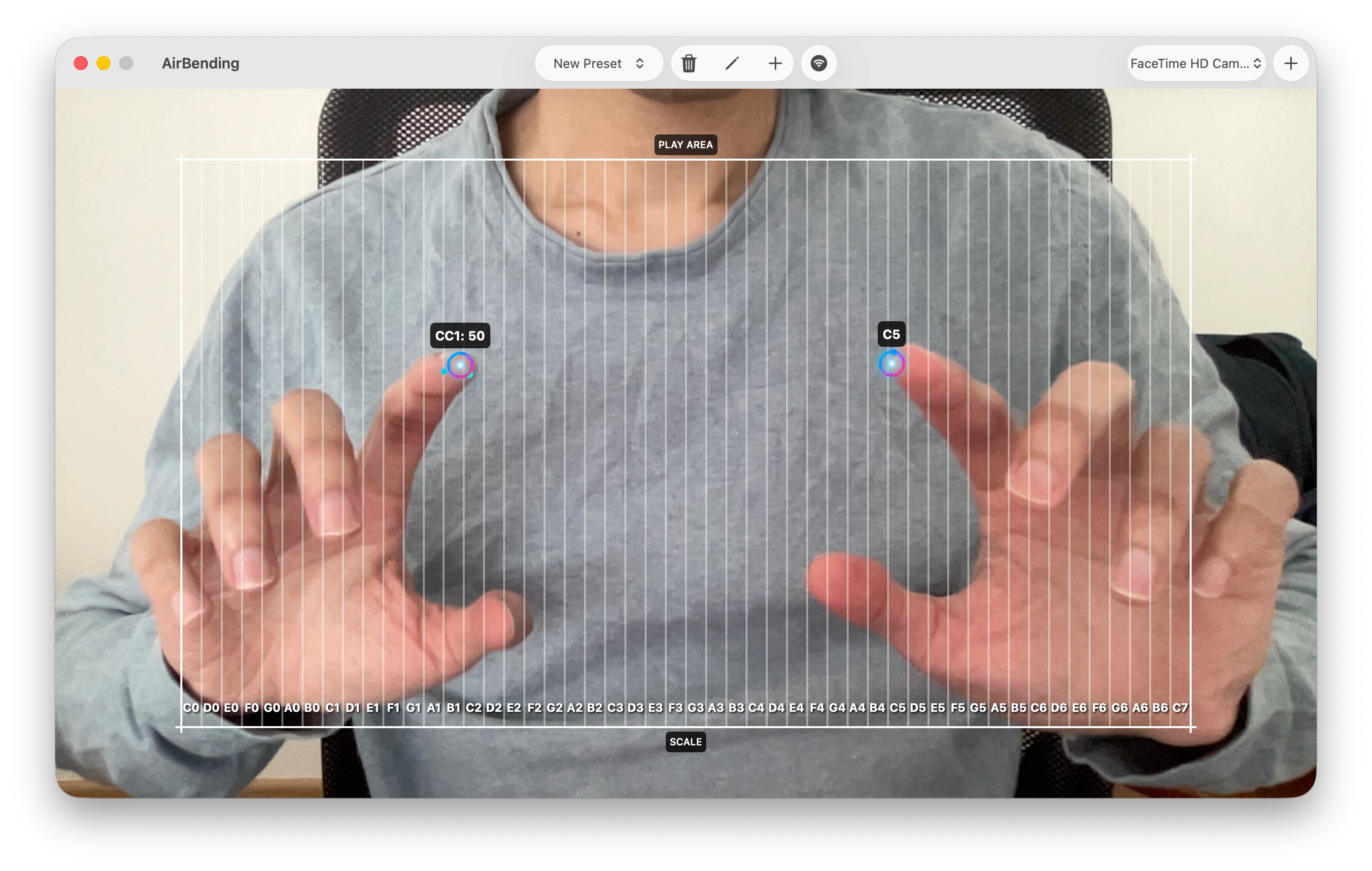
The Mac app displays your camera feed with real-time hand tracking visualization. Colored dots appear on your detected hand landmarks as you move.
The top toolbar contains:
- Camera picker — dropdown to select which camera to use
- Preset selector — choose or manage your MIDI mapping presets
- — delete the selected preset
- — edit the selected preset
- — create a new preset
- — open Network MIDI connections
- + button — add a second camera (up to 2)
- — remove the second camera
Main Interface iOS
The iOS app shows a full-screen camera view with hand tracking overlay. It supports both portrait and landscape orientations.
The floating bottom toolbar contains:
- Camera flip — switch between front and back cameras
- Preset picker — select your MIDI mapping preset
- Edit — open preset editor
- MIDI button — open MIDI connections sheet
3. Dual Camera
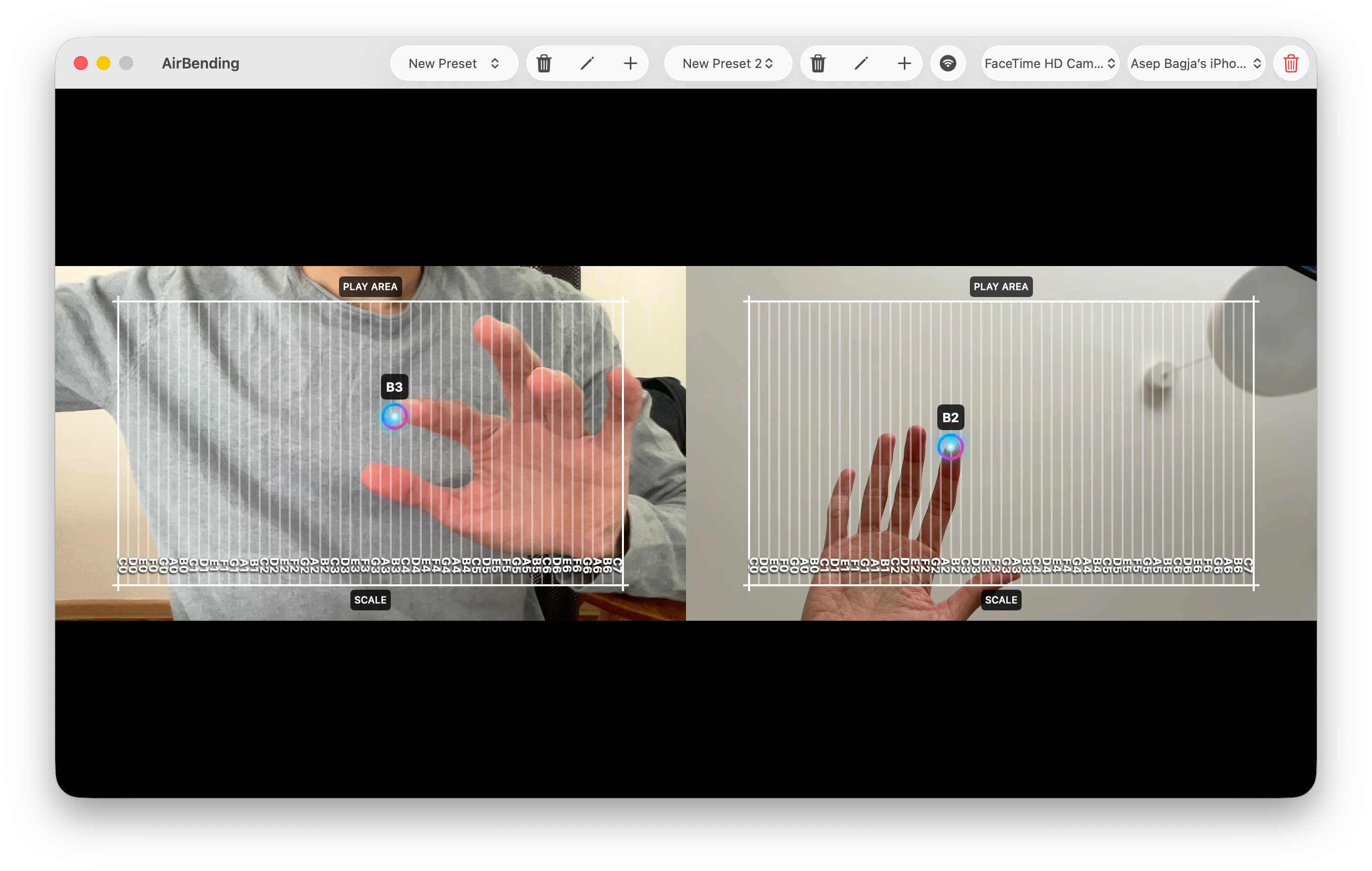
On Mac, you can use up to two cameras simultaneously. Each camera gets its own independent preset and MIDI channel, letting you control different parameters with each hand.
- Click the + button in the toolbar to add a second camera
- Each camera panel tracks hands independently
- Assign different presets and MIDI channels to each camera
- Click the button to remove the second camera
4. Presets
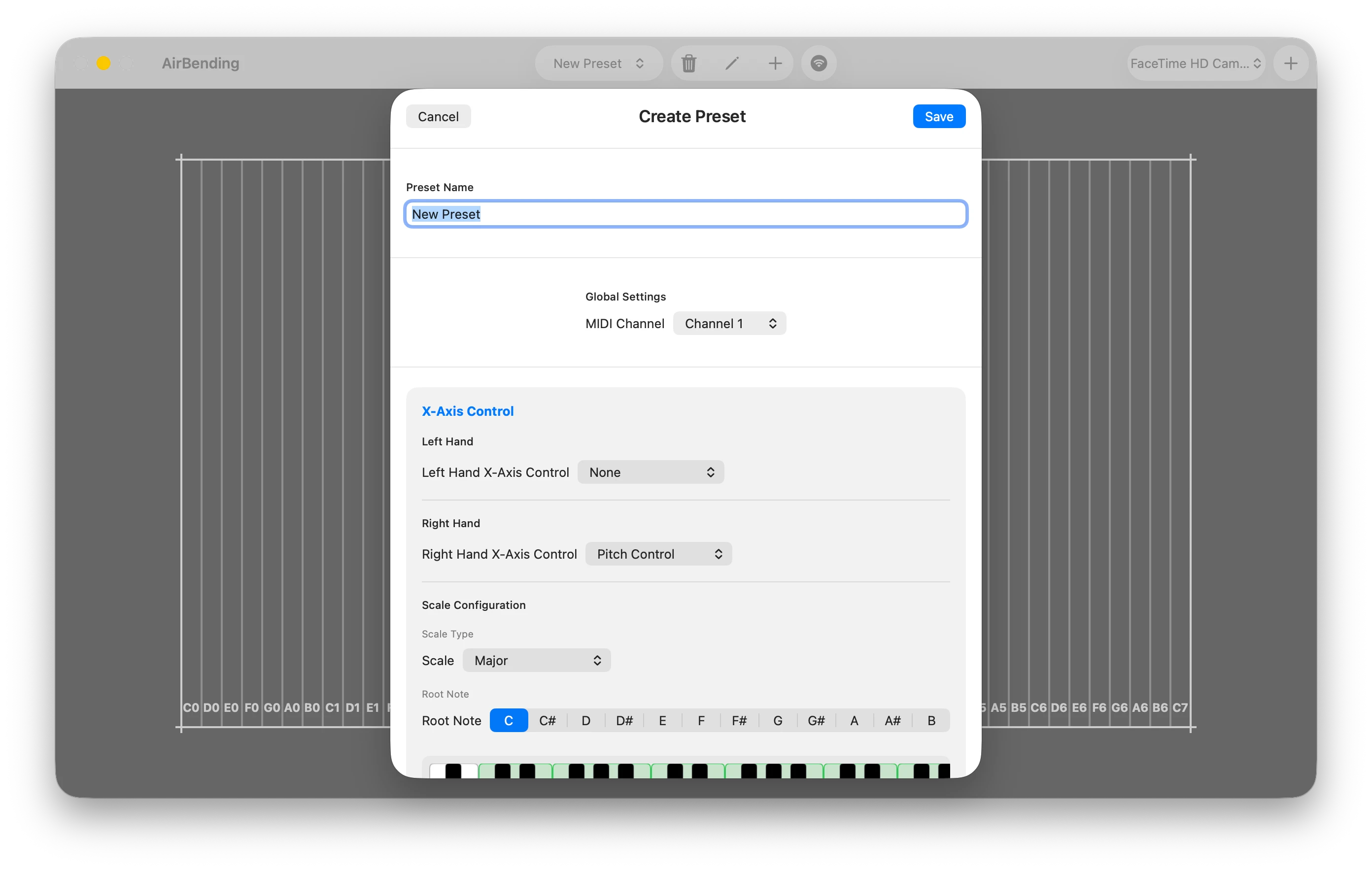
Presets store your MIDI mapping configuration. Each preset includes:
- Name — a label for your preset
- MIDI Channel — channel 1–16 for output
- X-axis (per hand) — Pitch Control, Control Changes, or None
- Y-axis (per hand) — Pitch Bend, Control Changes, or None
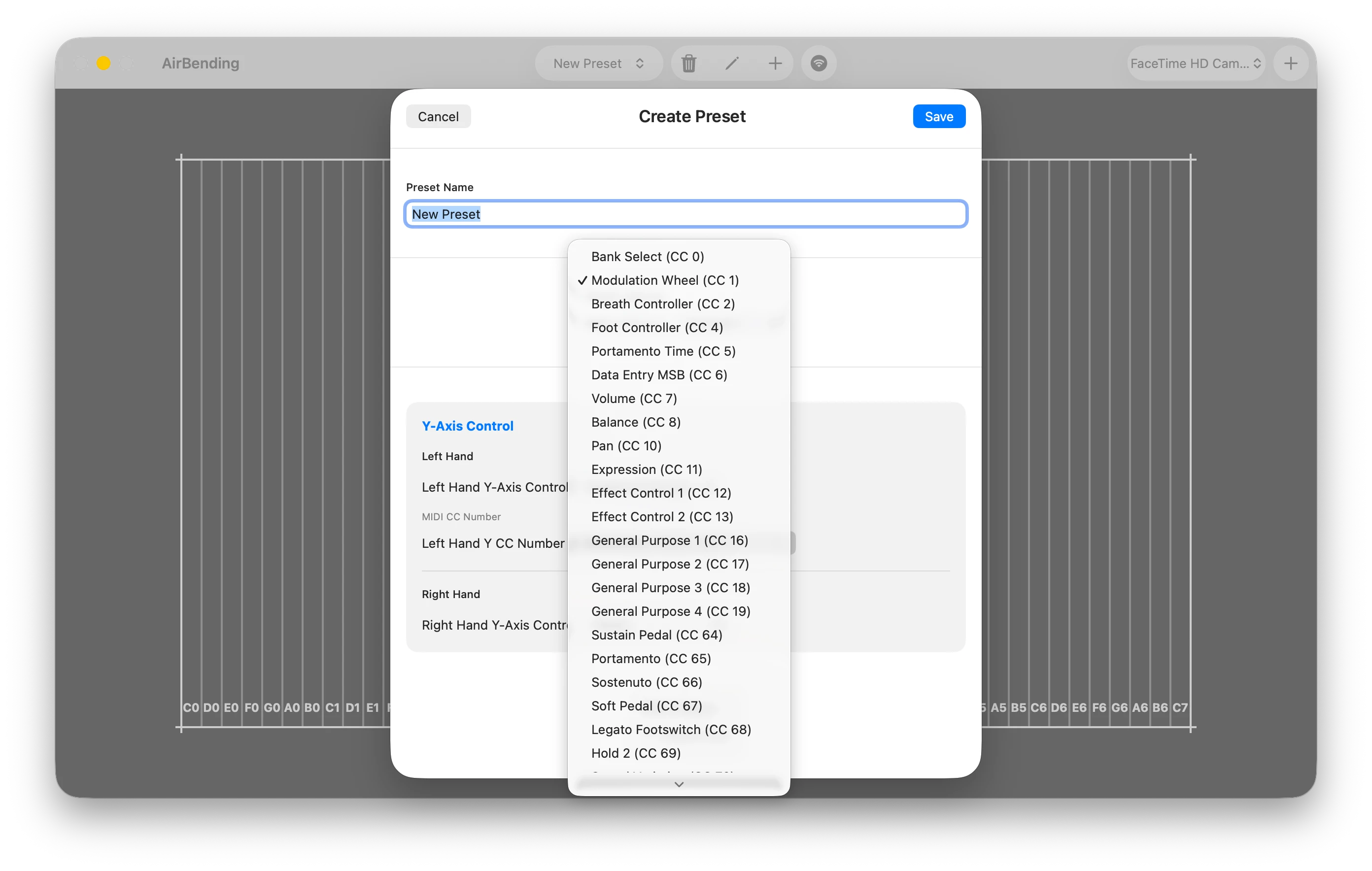
When Control Changes is selected for an axis, you can choose from over 140 standard MIDI CC numbers (volume, modulation, expression, and more).
5. Musical Scales
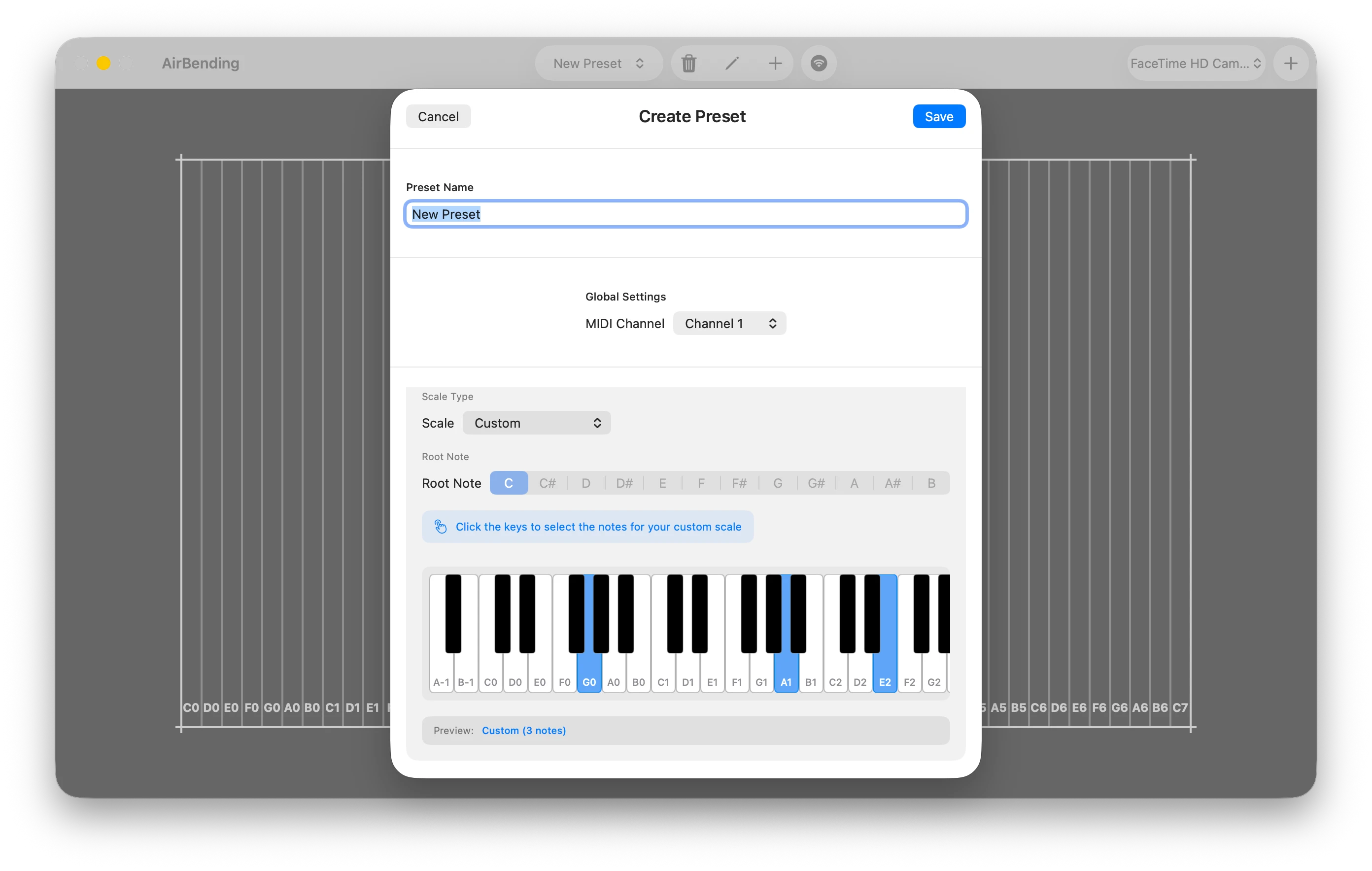
When Pitch Control is enabled on the X-axis, you can lock hand movements to a musical scale. This ensures every gesture produces an in-key note.
Available scale types:
- Chromatic (all 12 notes)
- Major
- Minor
- Major Pentatonic
- Minor Pentatonic
- Custom — tap piano keys to select specific notes
Use the root note selector to set the key (C through B).
6. CC & Pitch Bend
Control Changes (CC) — maps your hand position along an axis to any MIDI CC number. Use this to control volume, modulation, expression, filter cutoff, and more in your DAW or hardware.
Pitch Bend — maps vertical hand movement to the MIDI pitch wheel. Move your hand up and down to bend notes in real time.
7. MIDI Connections
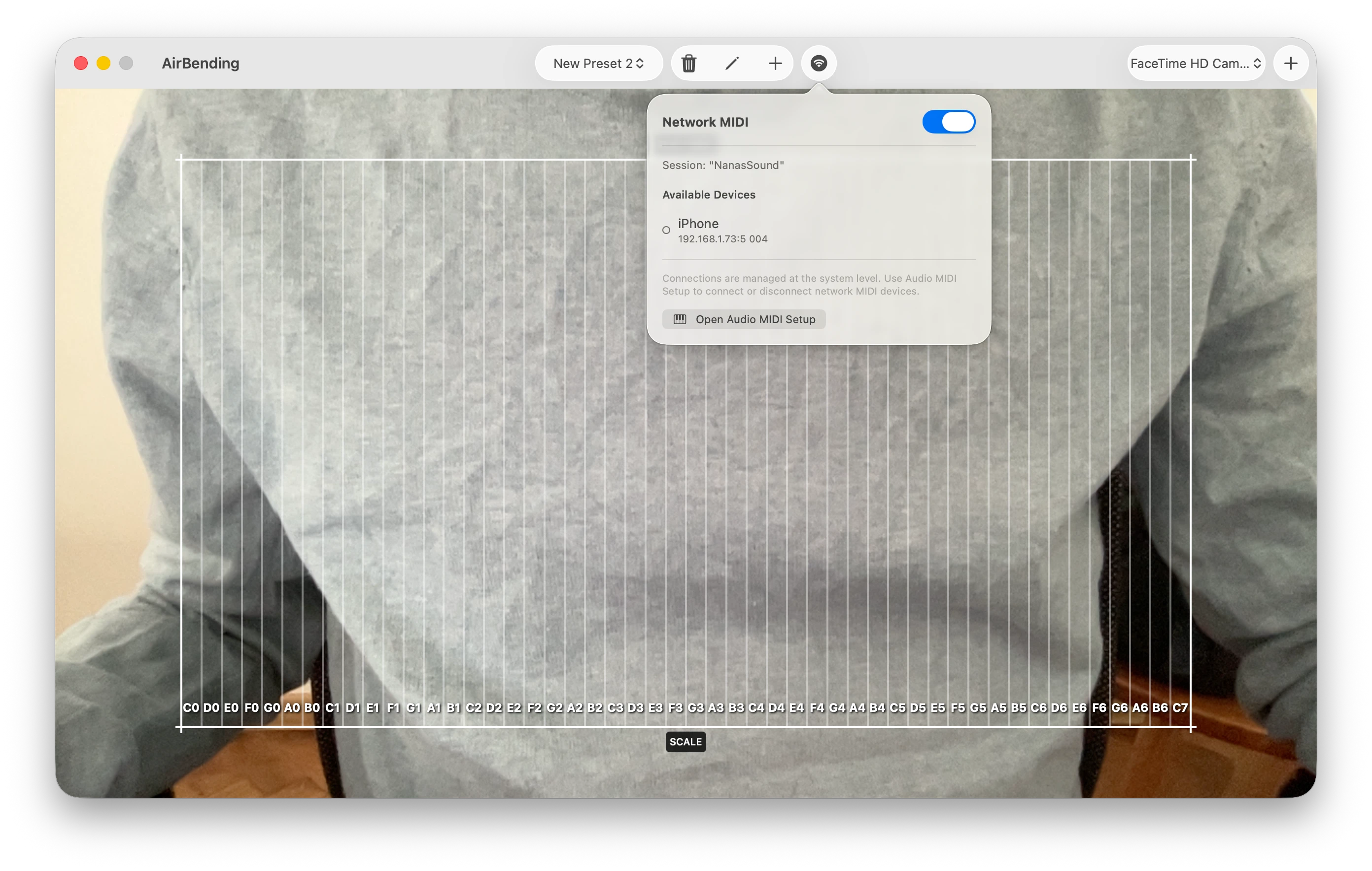
Virtual MIDI Source — AirBending automatically creates a virtual MIDI source called "AirBending" that appears in any DAW or MIDI-compatible app on your Mac. No configuration needed.
Network MIDI — toggle on to discover and connect to other devices on your local network. Use this to send MIDI to iPads, other Macs, or hardware that supports Network MIDI.
For advanced routing, open Audio MIDI Setup (built into macOS) to configure additional MIDI destinations.
MIDI Connections iOS
Note: iOS does not support virtual MIDI sources. You must use Network MIDI or USB MIDI to connect to other apps and devices.
Network MIDI — toggle on to auto-discover and connect to peers on your local network. Peers appear automatically when both devices have Network MIDI enabled.
USB MIDI iOS exclusive — plug any class-compliant USB MIDI device via USB-C or a USB hub. Connected devices appear in the list with on/off toggles.
8. OSC Output
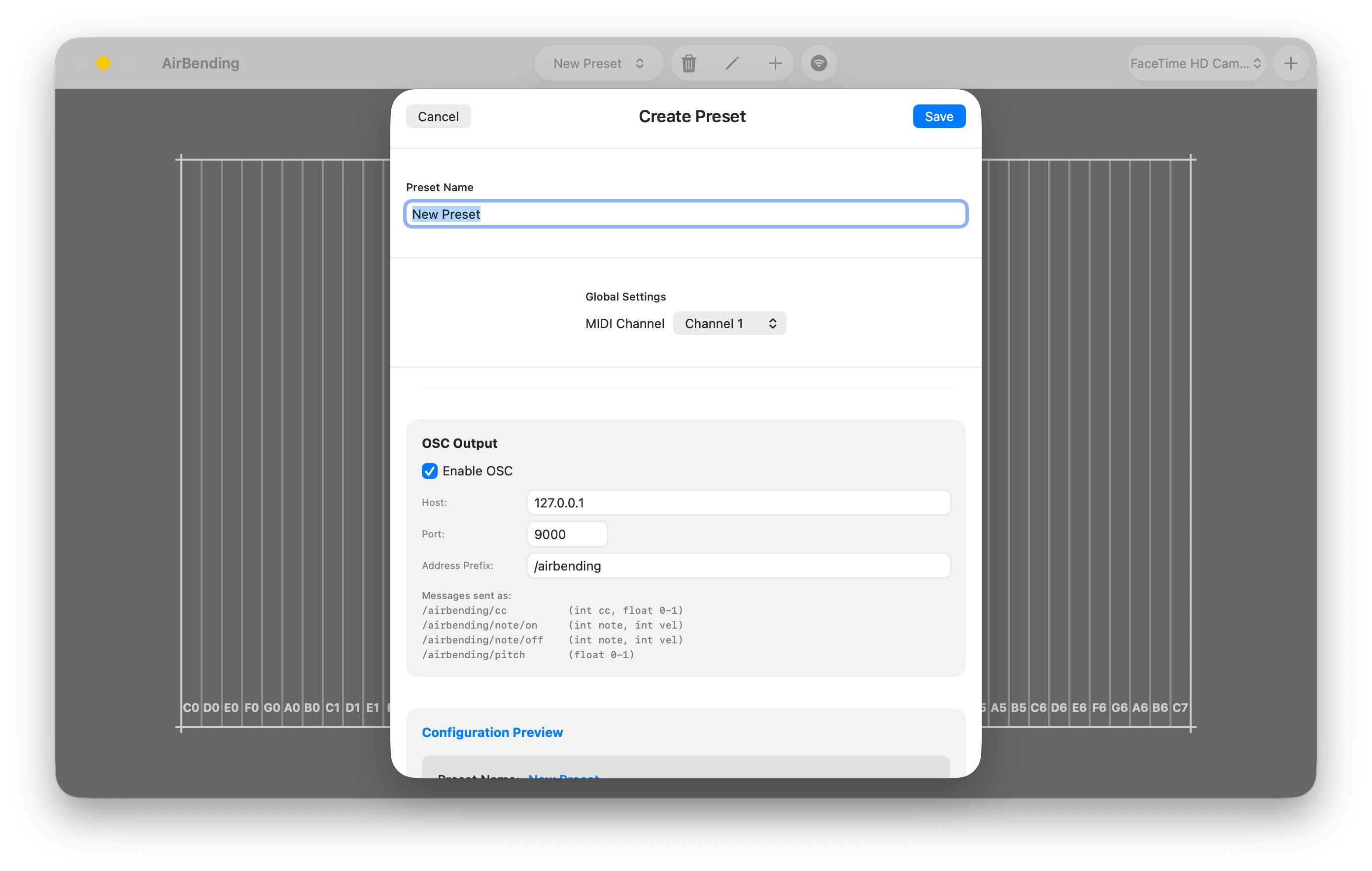
AirBending can send hand tracking data over OSC (Open Sound Control) in addition to MIDI. This is useful for visual software like TouchDesigner, Resolume, and custom creative coding setups.
OSC settings:
- Toggle — enable or disable OSC output
- Host — destination IP address (default: 127.0.0.1)
- Port — destination port (default: 9000)
- Address prefix — OSC address prefix (default: /airbending)
9. Trial & Purchase
AirBending includes a 7-day free trial with full access to all features. No credit card required to start.
After the trial expires, a one-time purchase unlocks the app permanently. No subscriptions.