AirBending
The touchless MIDI and OSC controller.
AirBending is a gesture-based MIDI and OSC controller. Wave your hand, the camera sees it, your music responds instantly. No extra gear, no setup.

14-day free trial, everything unlocked. One-time purchase for Mac, iPhone, and iPad.

Move, and the sound follows.
Plays nice with your whole setup.
AirBending is a touchless MIDI controller. It speaks plain MIDI and OSC. No proprietary format, no walled garden. Logic Pro, Ableton Live, Rekordbox, Traktor, Resolume, TouchDesigner, and pretty much anything else that listens for MIDI or OSC. No drivers, no plugins to go hunting for. Open it, and it works.
Set it up once. Never think about it again.
Decide how each gesture maps to MIDI. Use one hand or both. Save it as a preset, and next time you play, it's already exactly how you left it.
Both hands, both cameras, full control.
Give each hand its own camera and its own mapping. Left hand on effects, right hand on visuals, or however you want to split the work. One setup, endless combinations.
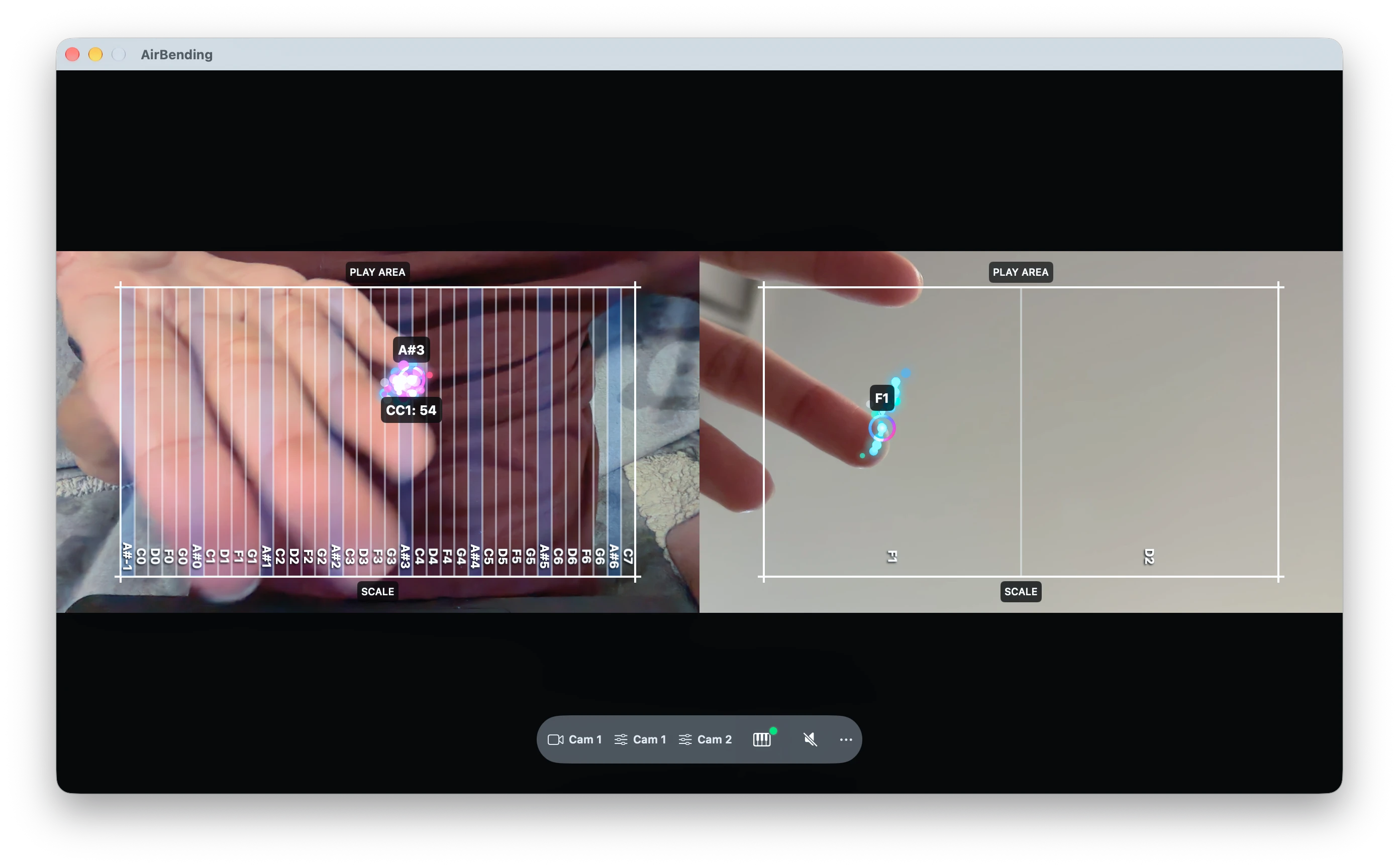
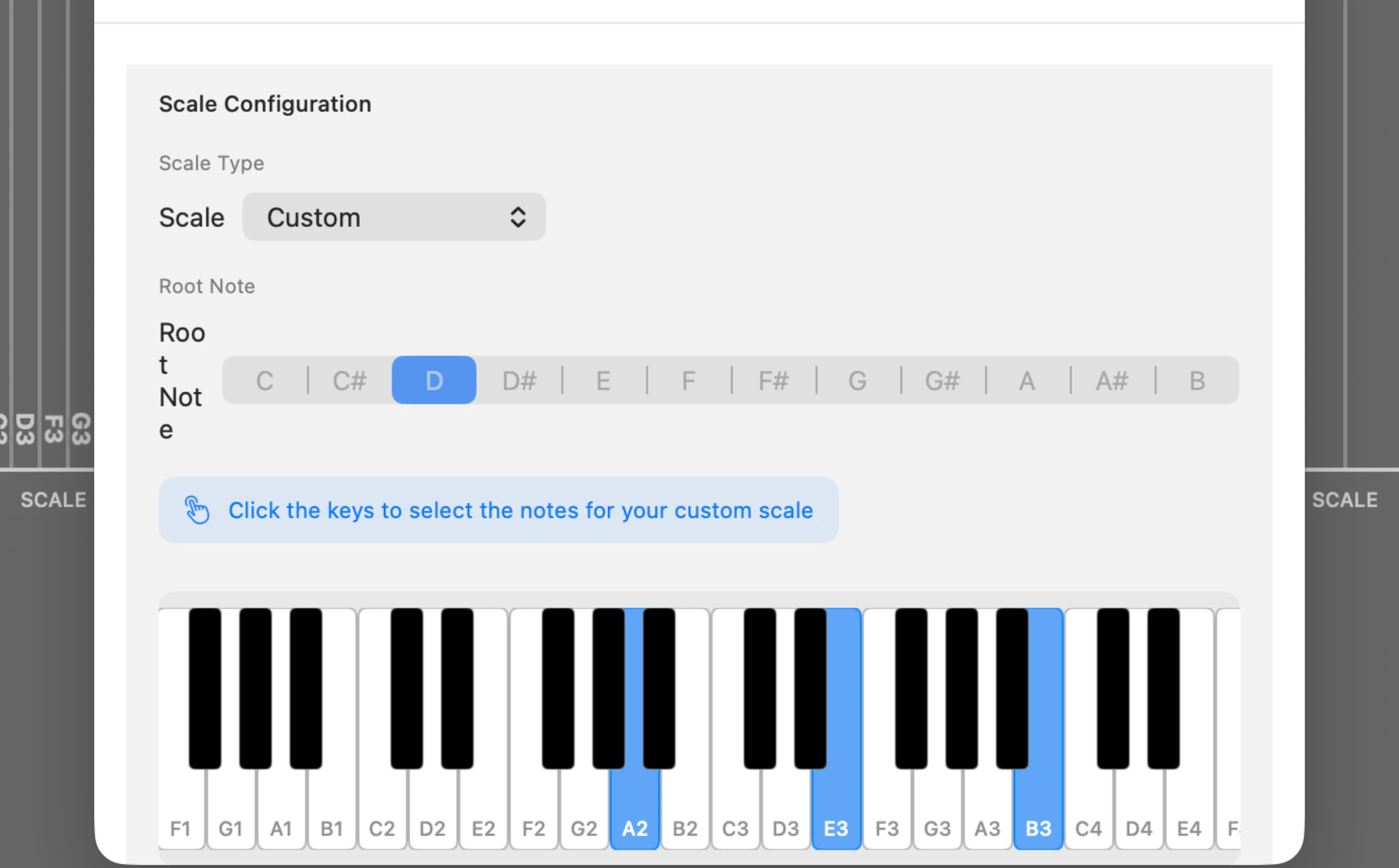
Not a note? Never a wrong note.
Lock your gestures to any scale, or build your own. However wild the movement, the note that comes out always belongs.
Everything else it does.
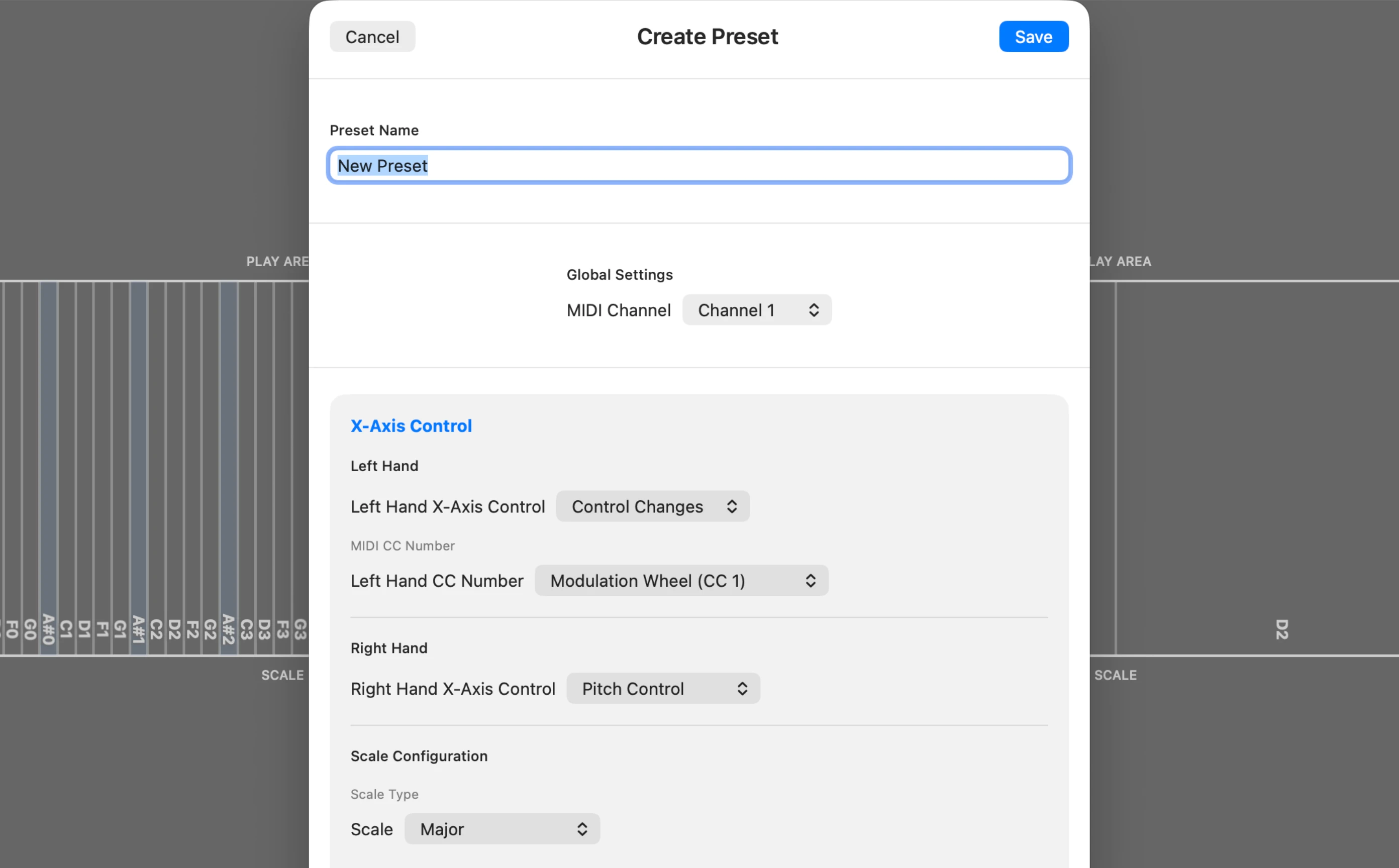
Send it wherever it needs to go.
Every preset carries its own MIDI channel, so switching presets can mean switching destinations to your DAW, your lighting rig, or both at once.
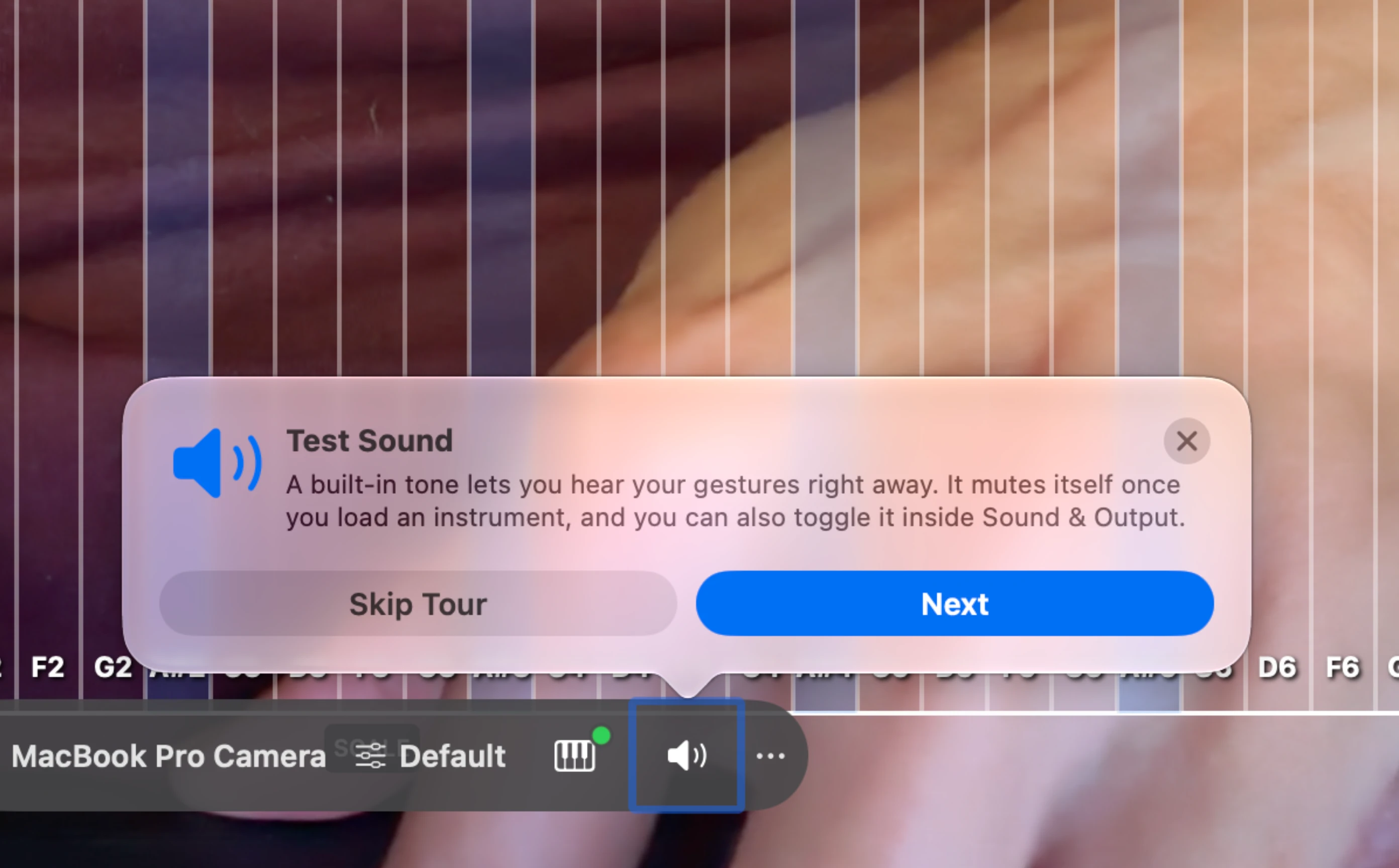
Make sound the second you open it.
A built-in synth turns your very first wave into sound. Raise your hand and the filter opens. No DAW, no routing, nothing to set up first.
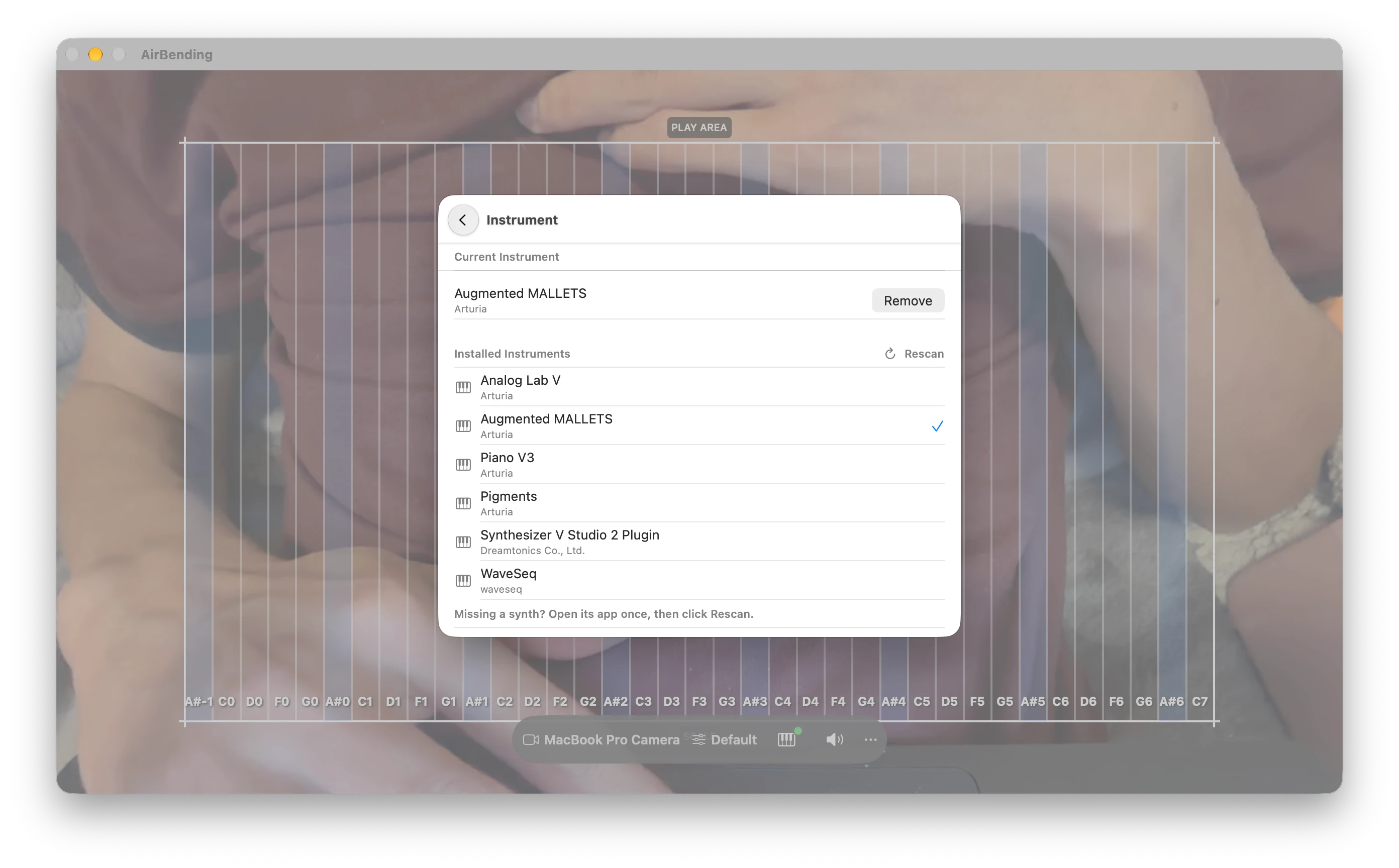
Bring your own synths.
AirBending hosts Audio Unit v3 instruments right inside the app. Pick one from your collection, play it with your hands, tweak it in its own window. No DAW in between.
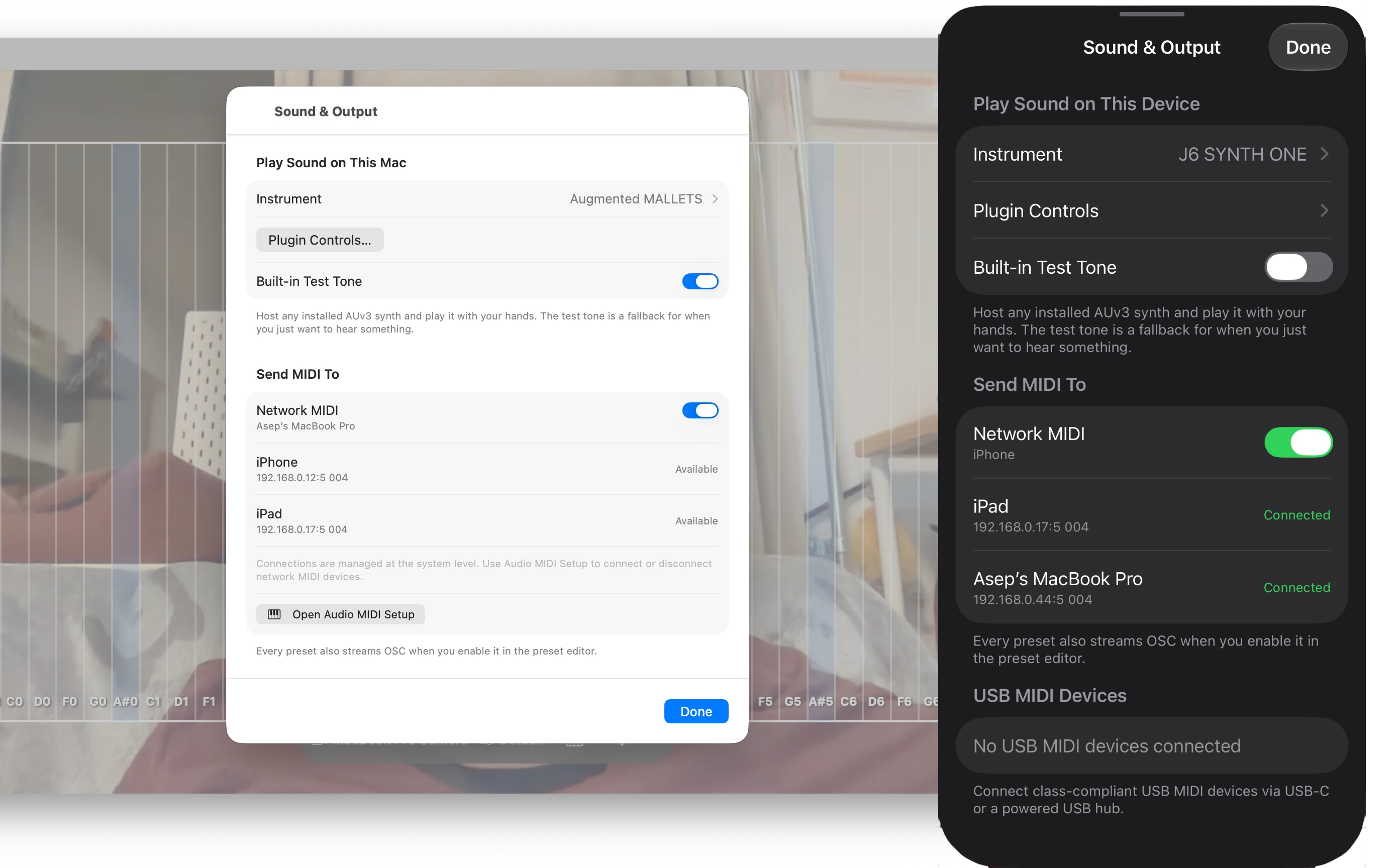
Cut the cable.
Send MIDI over Wi-Fi with RTP-MIDI and control any device on your network. No cables, and latency that holds up in a live set, not just a demo video.
The expressive control people usually pay several hundred euros in hardware for. From the camera you already own.
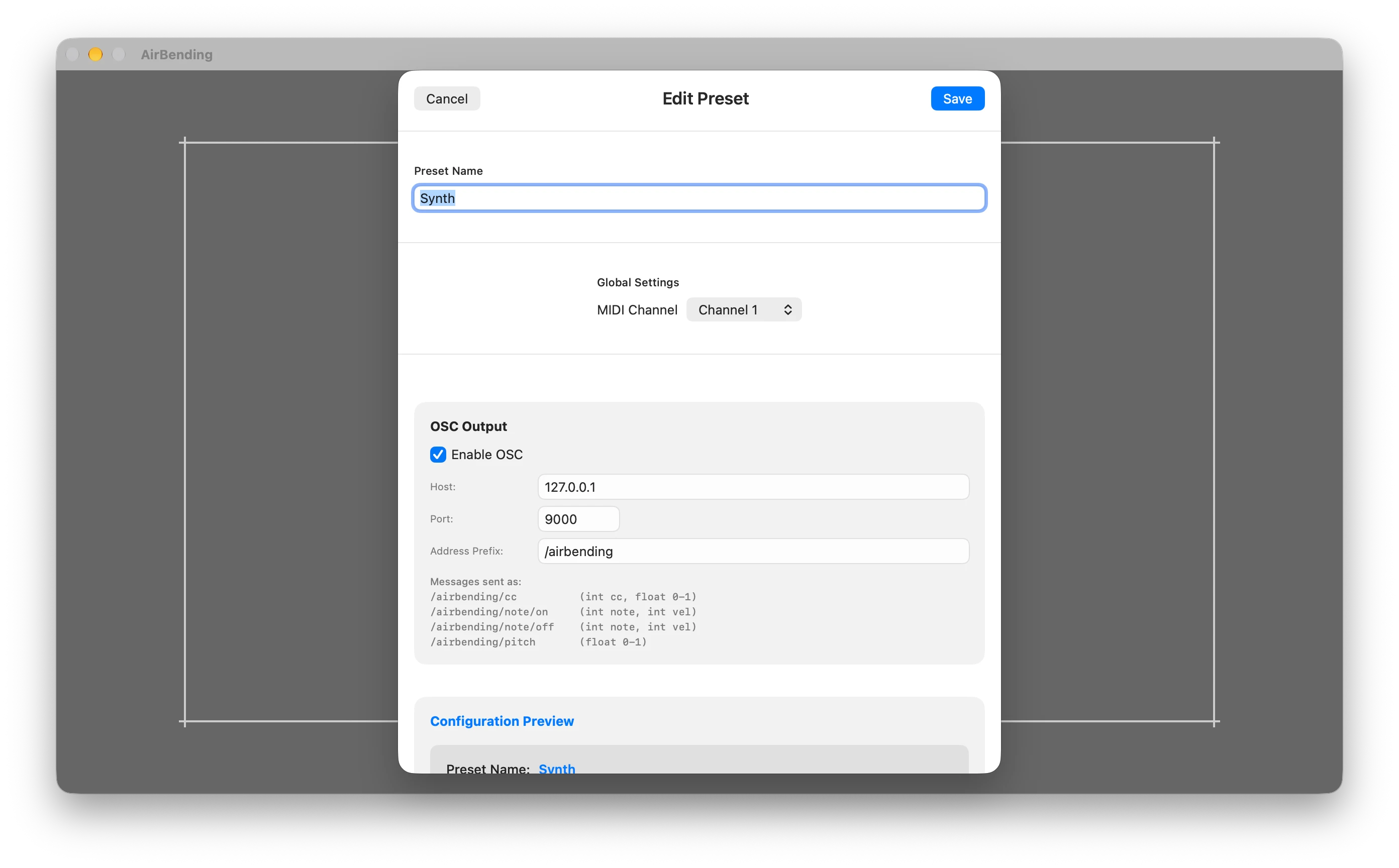
Fluent in OSC, too.
If it listens for OSC (Open Sound Control), AirBending can talk to it. VJ software, creative coding environments, lighting consoles. Set the host, port, and address per preset, and move on with your night.
Built by someone who actually plays.
AirBending isn't a side project bolted onto a bigger platform. It's a native Mac and iOS app built by a working musician who writes the low-level code himself, talking directly to CoreMIDI instead of sitting on top of a cross-platform wrapper. That's why it holds up in a live set instead of just a demo. One purchase. No subscription. No account required.
Mac and iOS, side by side.
| Feature | macOS | iOS (iPhone and iPad) |
|---|---|---|
| Gesture control with your camera | ||
| Track two hands with two cameras | Single camera | |
| Built-in synth | ||
| Host AUv3 instruments | ||
| MIDI out with per-preset channel | ||
| Wireless MIDI over Wi-Fi (RTP-MIDI) | ||
| Control USB MIDI hardware | Direct connection | |
| OSC output per preset | ||
| Scale lock and CC mapping | ||
| Free tier and one-time purchase |
Same app, same one-time purchase on both platforms.
See it. Believe it.
Three minutes of watching beats five paragraphs of reading. Here's AirBending, live.
Built for performers
DJs who'd rather cue a filter sweep with a hand than a mouse.
VJs shaping visuals live, in real time.
Musicians chasing a sound that's unmistakably theirs.
Live performers who want their body to be part of the show, not hidden behind a laptop lid.
Setups built around hands-free, accessible control.
Creative coders finding out what else a camera can do.
Try it free for 14 days, everything unlocked. After that, keep one hand and one preset free forever, or unlock the rest with a single one-time purchase. No subscription.
One purchase for all devices: Mac, iPhone, and iPad.